Deluxe Moon - Moon Calendar, P
LWS ResearchWeather
4.9547.00 Reviews
- Version
- 1.110
- Installs
- 50.00K
- Age Rating
- Everyone
Screenshots
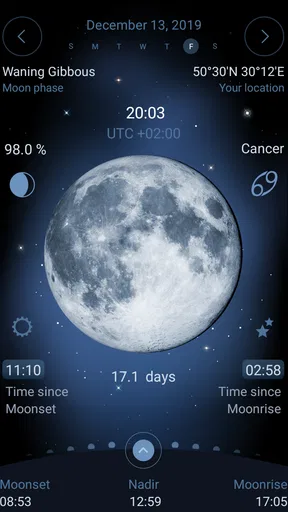
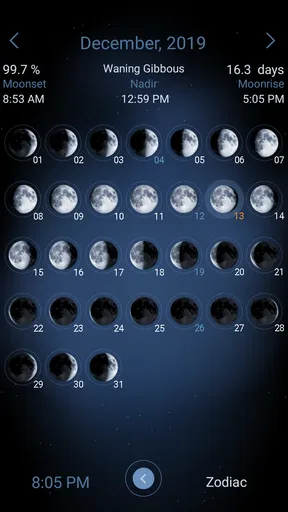
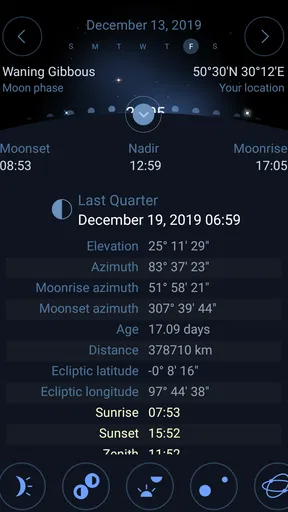
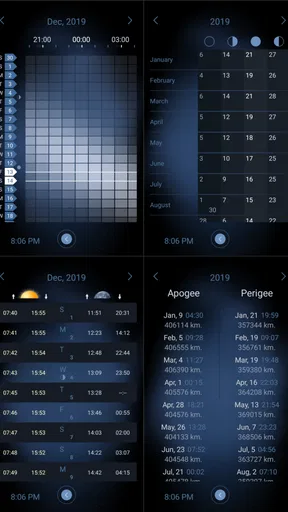
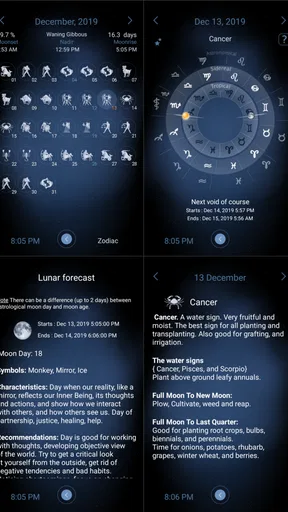
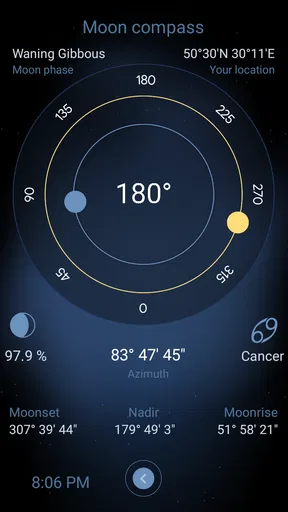
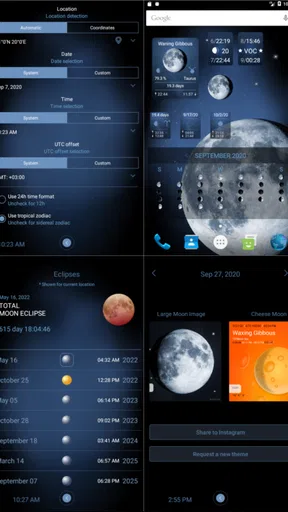
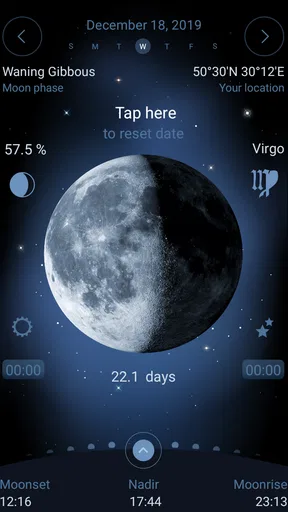
Our Review of Deluxe Moon - Moon Calendar, P
 Analysis by Appyee
I approached Deluxe Moon as a focused moon calendar and weather app, not as a replacement for a full daily forecast service. That distinction matters. Its appeal is the way it puts lunar timing, moon phases, and related calendar information at the center, while a typical weather app usually treats the moon as a small extra. In my experience, this makes it much more useful for people who plan around the lunar cycle than for someone who only wants to know whether to carry an umbrella.
The app comes from LWS Research and is available as a paid download for $3.99. It is rated for Everyone, runs on Android versions from 6.0 onward, and the current release is version 1.110. Its average rating sits at 4.9 from around 3.1 thousand ratings, with more than 50 thousand installs. Those figures suggest a small but very committed audience, and that matches the overall character of the app: it is specialized, information-heavy, and aimed at users who will actually return to lunar details rather than glance once and uninstall.
How the current experience feels in everyday use
The first thing I noticed is that this is an app for looking at patterns, not just checking a single answer. Instead of opening it only to see “full moon” or “new moon,” I found myself using it to understand where the current date sits within the broader lunar cycle. That is a subtle but important difference. The calendar approach encourages planning, comparison, and revisiting dates, while a simple phase icon gives you only a momentary snapshot.
A realistic use case is planning an evening outdoors. I might check the moon before arranging a late walk, a photography session, or a quiet night in the garden. The information does not replace a local forecast, but it adds context that ordinary weather apps often bury. If I need temperature, rain probability, wind, and warnings, I would still open a conventional weather service. If I want to know how the night relates to the lunar cycle, this is the more direct tool.
That narrow focus is also its main strength. The interface does not need to persuade me that the moon is relevant; it assumes I opened the app because it is relevant to me. For astronomy beginners, that can make the lunar cycle easier to follow. For experienced observers, it provides a convenient reference without requiring a browser search every time a particular phase or date comes up.
The app’s store summary presents it as an ultimate lunar calendar for 2021, but I would judge the current product by how well it serves ongoing lunar planning rather than by that promotional wording. The important practical question is whether you want a dedicated lunar reference on your phone. If the answer is yes, its focused design makes more sense than a general-purpose forecast app with a moon widget added as an afterthought.
A calendar that rewards looking ahead
The most useful habit is to use the calendar before an event, not during it. I would check several dates together when choosing an evening for stargazing, a night walk, or a personal ritual connected with the lunar cycle. Looking at the surrounding dates helps avoid the common mistake of treating a phase as an isolated label. The moon changes gradually, and a calendar view is better suited to that gradual movement than a single daily icon.
This also makes the app practical for people who organize activities around natural light. A bright moon can change the feel of a landscape, while a darker night may be preferable for viewing stars. The app cannot make the sky clear, of course, but it can help me choose the lunar conditions first and then use a weather service to confirm whether the plan is realistic.
Another useful workflow is to check the app alongside a regular forecast rather than trying to make one application do everything. I would use Deluxe Moon for lunar timing, then compare the chosen date with cloud cover and precipitation elsewhere. That two-step process is less convenient than an all-in-one dashboard, but it is more honest about what each tool does well. The trade-off is specialization for clarity.
Who will appreciate the focused approach
I can recommend it to amateur astronomers, photographers interested in night scenes, gardeners who track natural cycles, and anyone who simply enjoys following the moon. It may also suit users who want a calm reference tool rather than a stream of alerts and constantly changing weather cards. The Everyone age rating makes it approachable for households, including curious younger users exploring the lunar cycle with an adult.
It is less suitable for someone whose first question every morning is whether to wear a coat. A conventional weather app will be better for hourly conditions, radar, severe-weather notifications, and location-based forecasts. I would also hesitate to recommend paying for this app to a casual user who only wants to identify the next full moon once or twice a year. A basic calendar, search engine, or free astronomy tool may be enough in that situation.
The price is therefore easier to justify when the app becomes part of a repeated routine. At $3.99, it is not a major purchase, but it is still worth asking whether you will use a dedicated lunar calendar often enough to benefit from it. The value is not in replacing several other apps; it is in giving lunar information a more prominent and usable home.
What the current version means for new and existing users
Version 1.110 is the current release, and the app has been available since Jul 8, 2010. That long history matters because it places the product in a different category from a newly launched moon widget. LWS Research has had years to maintain a focused identity, and the result feels like a mature specialist rather than a broad lifestyle app trying to cover every possible subject.
For a new user, the practical benefit of that maturity is familiarity with the core idea. You are not downloading a general dashboard and hunting through menus to find lunar information. The product’s purpose is clear from the start. For an existing user, the current version is more about continuity than reinvention. Anyone who already relies on the calendar is likely to value a stable reference more than dramatic visual changes that alter established habits.
I would still approach updates with realistic expectations. A version number by itself does not tell me that the app has gained a particular feature, redesigned every screen, or changed its underlying calculations. What I can say is that the current release remains compatible with Android 6.0 and later, which keeps it accessible to people using older supported devices. That is useful for a focused utility, especially when the task does not require the latest phone hardware.
The long availability also makes the rating worth considering in context. Around 547 written reviews accompany the broader rating count, so there is enough user feedback to show that the app has built a committed following rather than relying only on a handful of early impressions. I would not treat a high score as proof that every person will love the interface, but it does support the idea that the specialized approach works well for its intended audience.
How the app changes an existing routine
If I were moving from a general weather app, I would not expect Deluxe Moon to replace my current habits immediately. Instead, I would place it beside the weather app and give it one clear job: lunar planning. The first week would be about learning when I naturally use it. Perhaps I would check it before outdoor photography, then before planning a late walk, and finally when comparing several possible dates for an event.
That approach prevents disappointment. Users often become frustrated when a specialized app is judged by the standards of a different category. This app should not be evaluated mainly on whether it delivers the fastest rain alert. Its usefulness comes from making moon-related information easier to consult and interpret. Once I treat it as a companion rather than a replacement, the purchase feels more coherent.
There is also a small but meaningful advantage in keeping lunar planning separate from urgent weather information. Weather apps are often busy, alert-driven, and designed for quick decisions. A lunar calendar supports slower decisions. I can look at several dates, think about the kind of night I want, and then check the practical weather conditions afterward. That separation reduces the chance that a crowded forecast screen will make the lunar details feel secondary.
Where the experience still has limits
The biggest limitation is its specialization. If you want one app to combine lunar phases with detailed forecasts, radar, air quality, pollen, sunrise planning, and emergency alerts, this is probably not the right choice. Its strength depends on accepting that it is a dedicated tool. The more unrelated information you expect, the less satisfying the focused design will feel.
I would also avoid assuming that lunar information alone can answer every night-sky question. A phase calendar can tell me about the moon’s cycle, but successful stargazing still depends on cloud cover, visibility, local light pollution, and the object I want to observe. I would use the app to choose promising lunar conditions, then verify the rest elsewhere. That is a concrete trade-off: it improves lunar planning but does not eliminate the need for other sources.
Another point is the paid model. Some users will prefer a free general app that includes a basic moon phase display. That option is perfectly reasonable if the moon is only an occasional curiosity. The $3.99 purchase makes more sense for someone who wants a dedicated calendar and expects to consult it repeatedly. I see the cost as a filter: casual users may find it unnecessary, while regular lunar followers may appreciate paying once for a focused experience.
The age rating of Everyone is reassuring for shared use, but it does not automatically mean the app will teach every concept in a beginner-friendly way. Someone completely new to lunar terminology may still need a little patience while learning what the calendar is showing. I would introduce it gradually, starting with the current phase and nearby dates rather than trying to understand every detail at once.
Three practical habits that make it more useful
First, I would use it for date comparison instead of single-date checking. When planning an outdoor activity, look at a small range of possible evenings and choose the lunar conditions that fit the mood or purpose. This is more valuable than opening the app only after the date has already been fixed.
Second, I would pair it with a weather forecast in a deliberate order: lunar calendar first, weather second. That lets me decide what kind of night I want before checking whether the atmosphere will cooperate. It is especially helpful for photography, where moonlight can be part of the composition but clouds can make the plan impossible.
Third, I would keep expectations tied to the app’s role. Treating it as a quiet reference rather than an alert-heavy forecast tool makes the experience less frustrating. The app is at its best when I have a question about the lunar cycle and want a dedicated place to explore the answer.
What I would watch before recommending it widely
For future use, I would pay attention to how well the application continues to serve modern phones while retaining its usefulness on older supported Android devices. Compatibility with Android 6.0 and later is practical, but users may still care about how comfortably the interface fits current screen sizes and habits. That is not a reason to reject the app; it is simply the kind of evolution I would want from a long-running specialist utility.
I would also watch whether future releases deepen the calendar experience without turning it into a cluttered all-purpose dashboard. The product’s identity is its advantage. Adding unrelated tools could make it less clear, while thoughtful improvements to browsing, date comparison, and interpretation would strengthen what already works. Since the current version is 1.110, I would judge later changes by whether they make lunar planning faster and clearer rather than by the number of new buttons.
For existing users, the key question is continuity. If the app remains dependable as a lunar reference, an update does not need to transform the entire experience to be worthwhile. For new users, I would look for a smooth first session that explains enough to get started without overwhelming someone who has never followed moon phases closely.
My recommendation after using it
I would recommend Deluxe Moon to a friend who regularly thinks about the moon, plans night-time activities, or wants a dedicated calendar instead of a tiny phase icon inside a general weather app. Its 4.9 average and more than 50 thousand installs reflect a strong response from the audience it targets, and I can understand why: the app has a clear purpose and does not dilute it with a broad collection of unrelated features.
I would not recommend it as the only weather app on a phone. For forecasts, warnings, radar, and daily clothing decisions, a conventional weather service remains the better choice. I would also suggest skipping the purchase if you only need an occasional full-moon date and have no interest in exploring the lunar cycle more regularly.
For the right user, however, the $3.99 price is reasonable. LWS Research has maintained this specialized app since 2010, and the current version keeps it available to devices running Android 6.0 or newer. My final view is straightforward: this is a focused lunar companion, not a universal weather replacement. If that distinction matches what you need, it is a thoughtful and practical addition to a phone; if it does not, a free general weather app will probably serve you better.
Verdict
Strengths of Deluxe Moon - Moon Calendar, P
- Detailed moon phases, illumination, and lunar calendar information.
- Includes moonrise and moonset times for your selected location.
- Useful widgets provide quick access to lunar data from the home screen.
- Supports multiple locations for comparing lunar conditions worldwide.
- Attractive night-sky visuals make the app pleasant to browse.
Limitations of Deluxe Moon - Moon Calendar, P
- Some advanced features may require a paid upgrade or subscription.
- The amount of astronomical data can feel overwhelming for casual users.
- Accurate location-based results depend on enabled GPS or manual settings.
- Widgets may use additional battery and home-screen space.
- Not all lunar information is equally useful outside astrology or planning needs.
Similar Picks in This Category
View All
Weather - By Xiaomi
Xiaomi Inc.4.1

Weather & Radar Forecast
WetterOnline4.8

Weather
OneLouder Apps4.6

AccuWeather: Weather Radar
AccuWeather3.6

The Weather Channel - Radar
The Weather Channel4.6

1Weather Forecasts & Radar
OneLouder Apps4.3
Frequently Asked Questions
What is Deluxe Moon - Moon Calendar, and what can I use it for?
Deluxe Moon - Moon Calendar is an astronomy and lunar-planning app that provides detailed information about the Moon’s current phase, illumination, age, and position in the sky. It is useful for people interested in stargazing, photography, gardening, fishing, spiritual practices, or simply following the lunar cycle. The app presents this information through an attractive visual calendar and interactive moon display.
Does Deluxe Moon provide accurate moon phases and astronomical information?
The app is designed to calculate and display lunar phases, moonrise and moonset times, illumination percentages, and other astronomical details based on your selected location and date. Results can depend on the accuracy of your device’s location settings and time zone, so users should enable the correct location information. It is helpful for general planning and observation, although professional astronomers may prefer specialized observatory software.
Does Deluxe Moon - Moon Calendar require an internet connection?
Many of the app’s core calendar and lunar-phase features can generally be used without a constant internet connection once the necessary data is available on the device. However, certain functions may depend on location services, updated astronomical calculations, maps, or other online resources. If you plan to use the app while traveling or outdoors, it is a good idea to open it beforehand and confirm that your selected location and data are working correctly.
Is Deluxe Moon suitable for beginners, or is it intended only for astronomy enthusiasts?
Deluxe Moon is suitable for beginners because its main screen clearly shows the Moon’s appearance, phase, and basic daily information without requiring advanced astronomy knowledge. At the same time, it includes more detailed data for users who want to examine lunar timing and position more closely. New users may need a little time to explore the menus, but the visual presentation makes the main features relatively easy to understand.
Are there advertisements, in-app purchases, or privacy considerations to check before downloading?
Before downloading Deluxe Moon - Moon Calendar, users should review the current Google Play or App Store listing because pricing, advertising, premium tools, and permissions can change between versions and platforms. Pay particular attention to location access, since it may be used to calculate local moonrise and moonset times. Checking the developer’s privacy policy and the store’s subscription details is recommended, especially if the app offers optional paid features or recurring purchases.
